Volume Automation in Mixing: The Secret to Professional Mixes
Compression isn't enough. Learn how volume automation separates amateur mixes from professional ones.
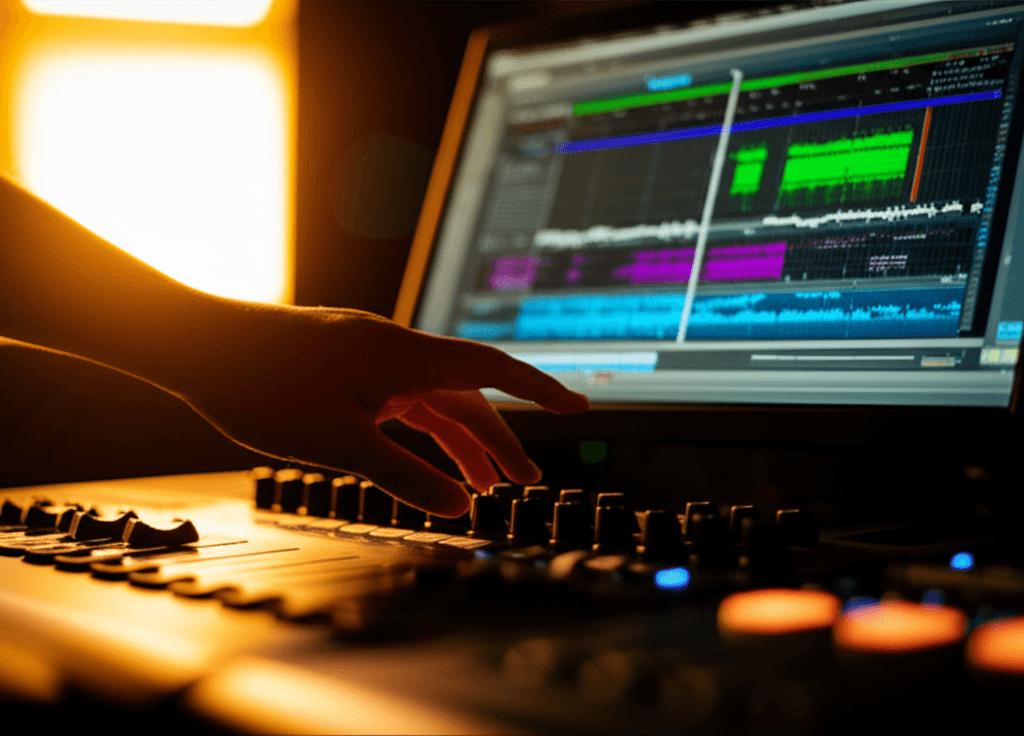
Here's what separates amateur mixes from professional ones: automation.
Not plugins. Not expensive gear. The willingness to ride faders and shape dynamics by hand.
Compression is automatic gain control. Automation is intentional gain control. The best mixes use both.
Why Compression Isn't Enough
Compressors react to signal level. They don't know context.
They don't know that this vocal phrase should be louder because it's the emotional peak of the song. They don't know the guitar should duck slightly during the verse to leave room for the vocal. They don't know the bass should push harder in the chorus.
Compression makes things consistent. Automation makes things musical.
What to Automate
Vocals (Always)
Vocals are the most important element in most songs, and they're wildly dynamic. Even after compression, certain words or phrases will be too quiet or too loud.
Vocal riding: Go through the vocal phrase by phrase, sometimes word by word. Bring up quiet words. Tuck loud ones. Make sure every lyric is audible without obvious compression pumping.
This is tedious. It's also non-negotiable for professional-sounding vocals.
Instrument Balance Across Sections
The guitar level that works in the verse might be wrong for the chorus. The synth pad that fills the intro might crowd the vocal in verse one.
Automate instruments to breathe with the arrangement. Up in sparse sections. Down when things get dense.
Effect Sends
Want the vocal to have more reverb in the bridge? Automate the send.
Want delay throws on certain words? Automate the send.
This is more interesting than static effect levels and makes the mix feel alive.
Filter Sweeps and Builds
EDM and pop productions live on automated filters. That high-pass filter opening up into the drop. The low-pass closing down during the breakdown.
If it's not moving, it's not modern production.
Types of Automation
Volume Automation
The most common and important. Adjusting fader levels over time.
Use this for:
- Vocal riding (word-by-word level adjustment)
- Section balance changes
- Bringing elements in and out
- Creating dynamic movement
Pan Automation
Moving elements in the stereo field over time.
Use this for:
- Creating movement in static elements
- Dramatic left-right sweeps
- Widening in choruses, narrowing in verses
Plugin Parameter Automation
Automating any parameter inside a plugin—filter cutoff, reverb mix, distortion amount.
Use this for:
- Filter sweeps
- Effect intensity changes
- Tonal shifts between sections
Send Automation
Automating how much signal goes to effect buses.
Use this for:
- Delay throws
- Reverb swells
- Effect emphasis on specific moments
The Vocal Riding Workflow
This is the most impactful automation you'll do.
Step 1: Get Your Static Mix Close
Before automating, get the vocal sitting reasonably well with compression and EQ. Automation refines a good mix—it doesn't fix a broken one.
Step 2: Solo the Vocal with the Music
You need to hear context. Solo the vocal alongside the main elements (drums, bass, main instrument). Don't ride vocals completely solo.
Step 3: Go Through Phrase by Phrase
Play small sections—a line or two at a time. Ask yourself:
- Can I hear every word clearly?
- Does any word poke out unnaturally?
- Does the vocal sit in the track or fight with it?
Step 4: Draw or Write Your Automation
You can:
- Draw automation with a mouse (precise but slow)
- Write automation by moving the fader in real-time (faster but rougher)
- Use a combination (write passes then clean up)
Step 5: Smooth the Transitions
If you drew sharp automation points, smooth them. Abrupt volume changes sound unnatural. Most volume moves should be gradual enough to be invisible.
Step 6: Listen Back in Context
Solo off. Listen to the full mix. Does the vocal sit better? Are there any obvious automation moves that draw attention?
Automation Curves
The shape of your automation matters.
Linear
Straight line from point A to point B. Sounds mechanical. Rarely what you want.
Logarithmic/Exponential
Curved transitions that sound more natural. Most DAWs let you bend automation lines.
S-Curve
Slow start, fast middle, slow end. Great for smooth transitions that don't draw attention.
Rule of thumb: If you can hear the automation happening, it's probably too abrupt.
Section-Based Automation
Beyond word-by-word vocal riding, automate for the song structure.
Verse to Chorus
Choruses should feel bigger. Options:
- Push the drum bus up 0.5-1dB
- Bring up the bass slightly
- Pull back verses so chorus feels like a lift
- Add width (automate stereo widener or reverb)
Builds and Drops
The four-bar buildup before a drop:
- Automate filter opening
- Automate riser volume
- Pull down main elements slightly so the drop hits harder
- Automate reverb/delay tails to swell
Breakdowns
Stripped sections need different balance:
- Pull back drums
- Feature the lead element
- Maybe increase reverb for space
- Reduce width for intimacy
Practical Tips
Write Automation in Passes
Don't try to automate everything at once. Do a pass for just vocals. Then a pass for guitars. Then a pass for effects.
Use VCA/Group Automation
If you're automating multiple tracks together (all drums, all guitars), use a VCA or group fader. One move controls everything.
Pre-Fader vs. Post-Fader
Volume automation is typically post-fader, meaning it affects the final output. If you need to adjust volume before plugins, automate a gain/trim plugin instead.
Keep It Invisible
The best automation is felt, not heard. If listeners notice volume changes, you've gone too far or been too abrupt.
Reference Your Automation
Print a rough mix before automation. Print one after. Compare. Does the automated mix feel more alive and balanced?
Common Mistakes
Over-Automating
Not everything needs to move. If an element sits well throughout the song, leave it alone.
Fighting Your Compressor
If you're automating volume, then the compressor reacts to that new level, then you automate to compensate... you're fighting yourself. Get your compression right first.
Automating Instead of Fixing
If you're automating drastic moves constantly, maybe the recording or arrangement has problems. Automation should refine, not rescue.
Forgetting to Automate Effects
Static reverb and delay levels throughout a song are a missed opportunity. Automate them—even subtly—for movement.
The Bottom Line
Compression gives you consistency. Automation gives you intention.
Professional mixers spend hours on automation because it's where mixes become musical. The vocal that sits perfectly. The chorus that lifts. The build that pays off.
It's tedious work. It's also the difference between "good enough" and "professional."
Start with vocal riding. Then expand to section-based moves. Then get into effect automation.
Your mixes will thank you.
Related Articles
How to Use Reference Tracks: The Pro Mixing Secret
Reference tracks are how professionals avoid mix blindness. Learn to use them effectively without losing your own sound.
Delay Settings for Vocals: From Subtle to Dramatic
How to use delay on vocals without creating a muddy mess. Practical settings for slap, tempo-sync, and throw delays.
What is Compression? The Complete Beginner's Guide
A clear, beginner-friendly explanation of audio compression—what it is, how it works, when to use it, and how to get started without ruining your mix.