Multiband Compression for Mastering: When and How to Use It
Multiband compression is powerful but misunderstood. Learn when you actually need it and how to use it without destroying your mix.
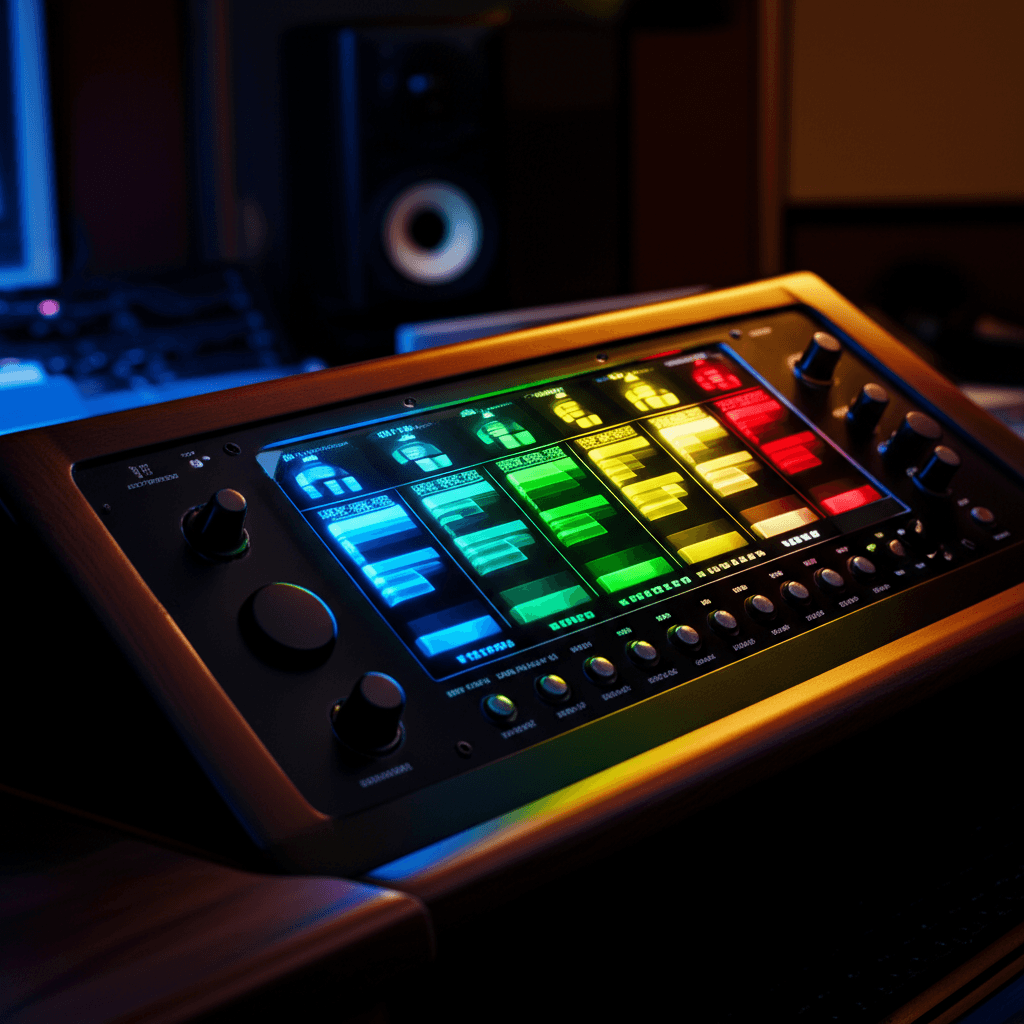
Multiband compression is one of the most misused tools in mastering. People slap it on because they think they should, then wonder why their masters sound worse.
Here's the truth: you probably don't need multiband compression on most masters. But when you do need it, nothing else will fix the problem.
What Multiband Compression Actually Does
A standard compressor affects the entire frequency spectrum. When the kick hits, the whole signal gets compressed—including the vocals, hi-hats, everything.
Multiband compression splits the signal into frequency bands (typically 3-5), each with its own compressor. Now when the kick hits, only the low band compresses. The mids and highs stay untouched.
This lets you control dynamics independently across the frequency spectrum.
When You Actually Need It
Problem 1: Inconsistent Low End
Some sections have boomy bass, others are thin. A full-band compressor can't fix this without affecting everything else.
Multiband lets you tame the boomy sections while leaving the rest of the mix alone.
Problem 2: Harsh Vocal Peaks
The mix is great except for certain vocal phrases that poke out harshly in the upper mids. Instead of de-essing (which might over-process), multiband can catch just those peaks in the 2-4kHz range.
Problem 3: Inconsistent Energy Across Sections
The verse has controlled dynamics, but the chorus explodes unevenly. Multiband can even out specific frequency ranges that are causing the imbalance.
Problem 4: Mastering Poorly Mixed Material
Sometimes you're mastering a mix that has fundamental balance problems. Multiband is your surgical tool for fixing what EQ alone can't.
When NOT to Use It
If the mix sounds balanced and consistent, don't add multiband compression just because you can.
Signs you don't need it:
- The low end feels consistent throughout
- No frequency range jumps out unexpectedly
- Regular compression handles the dynamics fine
- EQ addresses your tonal concerns
Multiband compression is problem-solving, not enhancement. If there's no problem, don't add it.
The Settings
Band Crossover Points
Standard starting points:
- Low: Below 100-150Hz (sub bass and bass)
- Low-Mid: 150Hz - 500Hz (bass body, low mud)
- Mid: 500Hz - 2kHz (presence, body)
- High-Mid: 2kHz - 8kHz (clarity, harshness)
- High: Above 8kHz (air, sibilance)
These aren't rules. Adjust crossovers based on where the problems actually are. Solo each band and listen.
Compression Settings Per Band
Low Band (Under 150Hz):
- Ratio: 2:1 to 4:1
- Attack: 20-50ms (let the transient through)
- Release: Auto or 100-200ms
- Threshold: Only catch the peaks
Low end needs the most careful handling. Over-compress here and you'll kill the punch.
Mid Bands (150Hz - 8kHz):
- Ratio: 1.5:1 to 3:1
- Attack: 10-30ms
- Release: Auto or 50-150ms
- Threshold: Set for 1-3dB gain reduction max
These should be subtle. You're evening things out, not squashing.
High Band (Above 8kHz):
- Ratio: 2:1 to 4:1
- Attack: Fast (1-10ms)
- Release: Fast (50-100ms)
- Threshold: Catch harsh sibilance peaks
High frequencies can tolerate faster settings because they're less noticeable.
The Workflow
Step 1: Identify the Problem
Listen to the full track. What's inconsistent? What jumps out? What's lacking?
Don't reach for multiband until you can articulate the specific problem.
Step 2: Set Crossovers
Find the frequency range where the problem lives. Set your crossover points to isolate that range.
Step 3: Solo and Compress
Solo the problem band. Set your compression to address the issue. Then unsolo and listen in context.
Step 4: A/B Constantly
Toggle bypass on and off. Is it actually better? Or just different?
If you can't clearly hear an improvement, you probably don't need it.
Common Mistakes
Over-Processing Every Band
Just because you have 4 bands doesn't mean you need to compress all 4. Often you only need to touch one or two.
Leave the unproblematic bands alone.
Too Much Gain Reduction
Multiband should be doing 1-3dB of gain reduction per band, max. If you're seeing 6dB+ of reduction, you're destroying the mix.
Wrong Crossover Points
If your crossover is at 200Hz but the problem is at 120Hz, you're compressing the wrong stuff. Spend time finding the right crossover points.
Not Compensating Gain
Each band needs its own makeup gain. If you compress a band and don't compensate, you've just EQ'd your track (reduced that frequency range).
Using It Instead of Fixing the Mix
Multiband compression in mastering should be a scalpel, not a sledgehammer. If you need heavy multiband processing, the mix probably needs revision.
Multiband vs. Dynamic EQ
Dynamic EQ does something similar—it applies EQ that responds to the signal level. So when should you use which?
Use Multiband Compression When:
- You need to control overall dynamics in a frequency range
- The problem is general inconsistency in that range
- You want parallel compression on specific frequencies
Use Dynamic EQ When:
- You need surgical control of a narrow frequency
- The problem is a specific resonance that comes and goes
- You want to duck or boost a precise frequency
Dynamic EQ is more surgical. Multiband is broader control.
My Approach
I reach for multiband compression maybe 1 in 5 masters. When I do, it's usually for one of these:
- Taming boomy low end on tracks with inconsistent bass
- Controlling harsh 2-4kHz on vocal-heavy tracks
- Evening out masters of poorly balanced mixes
The rest of the time, EQ and full-band compression handle everything fine.
Quick Settings Reference
For Boomy Low End:
- Solo below 120Hz
- Ratio 3:1, slow attack (30ms), medium release
- Threshold to catch only the boom (2-3dB reduction)
For Harsh Upper Mids:
- Isolate 2-5kHz range
- Ratio 2:1, fast attack (5-10ms), fast release
- Threshold to catch only the harsh peaks
For Inconsistent Mix Energy:
- Address the most problematic band first
- Gentle ratios (2:1), moderate settings
- Barely visible gain reduction
The Bottom Line
Multiband compression is a problem-solving tool, not a magic enhancement.
Ask yourself: "What specific problem am I trying to fix?" If you can't answer that clearly, you probably don't need it.
When you do need it, use it surgically. Target the problem band, apply gentle compression, and leave everything else alone.
Related Articles
How to Use Reference Tracks: The Pro Mixing Secret
Reference tracks are how professionals avoid mix blindness. Learn to use them effectively without losing your own sound.
Delay Settings for Vocals: From Subtle to Dramatic
How to use delay on vocals without creating a muddy mess. Practical settings for slap, tempo-sync, and throw delays.
Volume Automation in Mixing: The Secret to Professional Mixes
Compression isn't enough. Learn how volume automation separates amateur mixes from professional ones.